Telemedicine Platform
Purpose-built for low-resource settings with limited smartphone penetration. USSD-based access, mobile money payments, and insurance integration.

Overview
Most people in low-resource settings don't have smartphones or reliable internet. This platform works on any mobile phone, including basic feature phones.
It handles the full patient journey: registration, identity verification, insurance validation, appointment booking, consultations, prescriptions, and lab tests. All via SMS and USSD.
We ran this platform for 7 years in Rwanda, delivering 4.5 million consultations to 2.8 million users.
Platform Features
Built for settings with low smartphone penetration
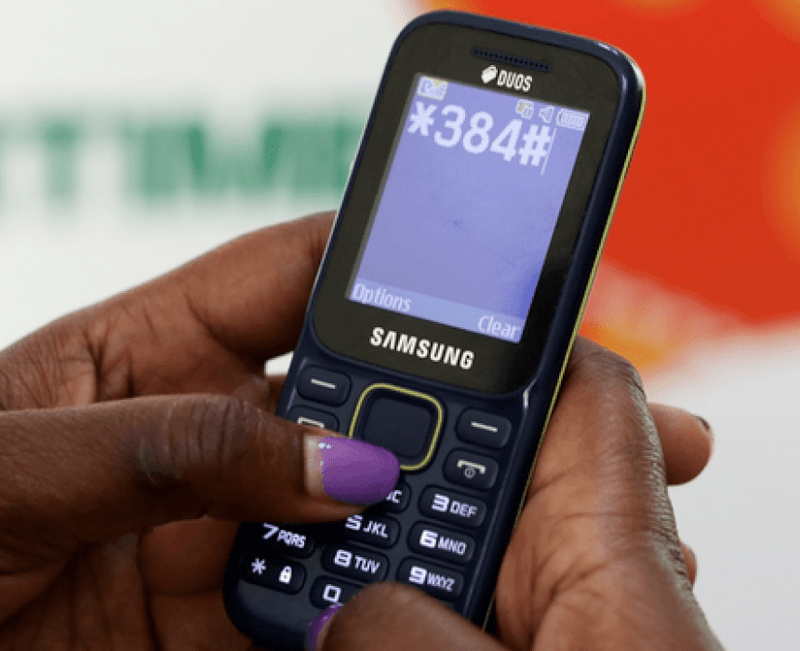
SMS Appointment Booking
Patients book appointments via SMS. The system checks their identity, validates insurance, takes payment, and schedules the consultation. Works on any phone.
Audio and Video Calling
Clinicians call patients directly from a web portal. They can do audio or video, take notes, and code the consultation in one place.

Digital Prescriptions
Clinicians send prescriptions via SMS. Patients get a code they can redeem at any pharmacy in the network.

Lab Test Management
Clinicians order tests electronically. Patients get an SMS code to present at any partner lab.
Open Source Platform

Platform Documentation
Breakdown of how users interact with our platform
Patient Experience
How patients interact with the platform
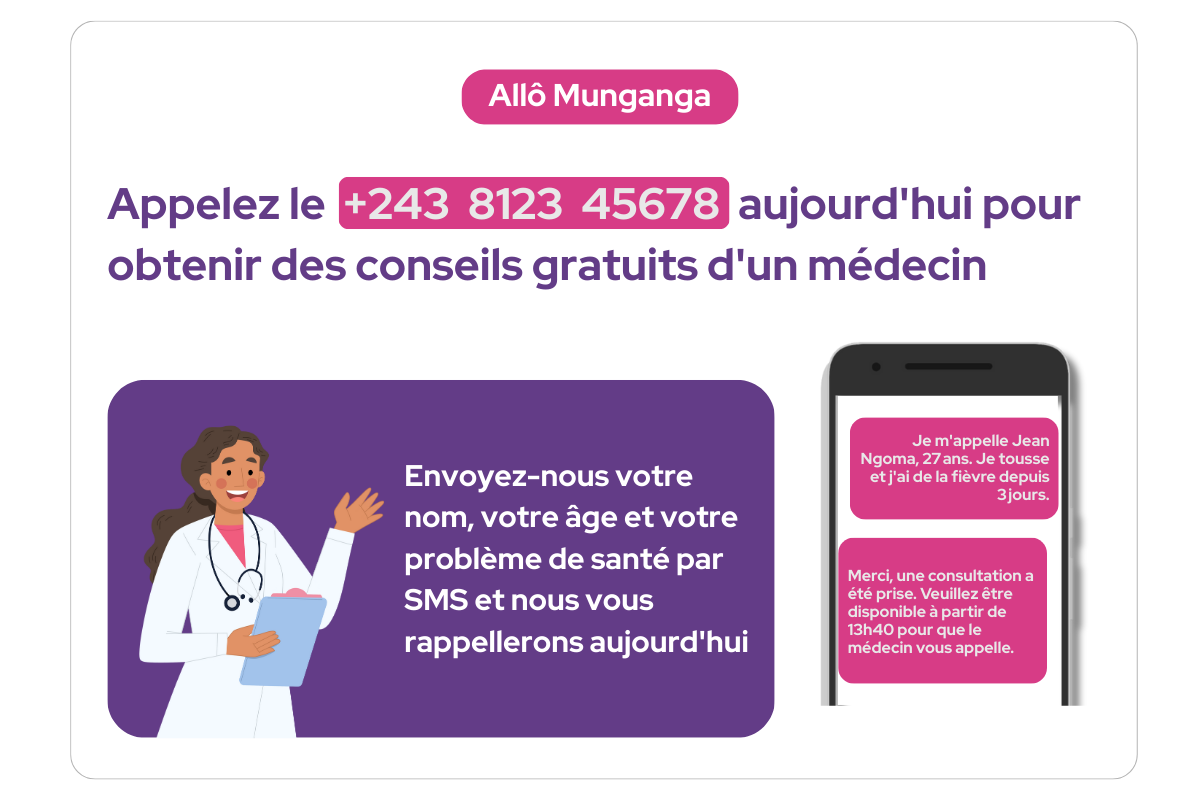
Patient sees advertisement
The patient sees an advertisement in their community or health center offering free medical consultations via the telemedicine platform.
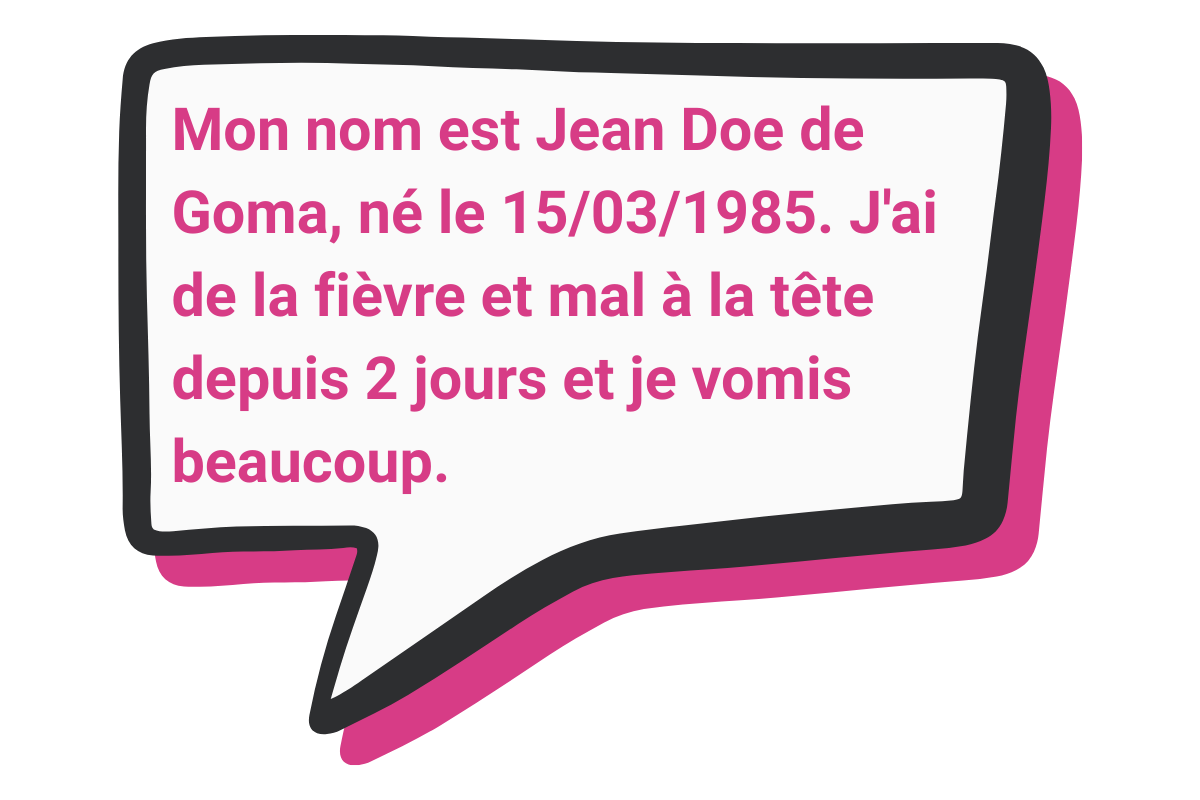
Patient requests consultation
The patient sends an SMS to the designated phone number with their details including full name, date of birth, location, and symptoms.
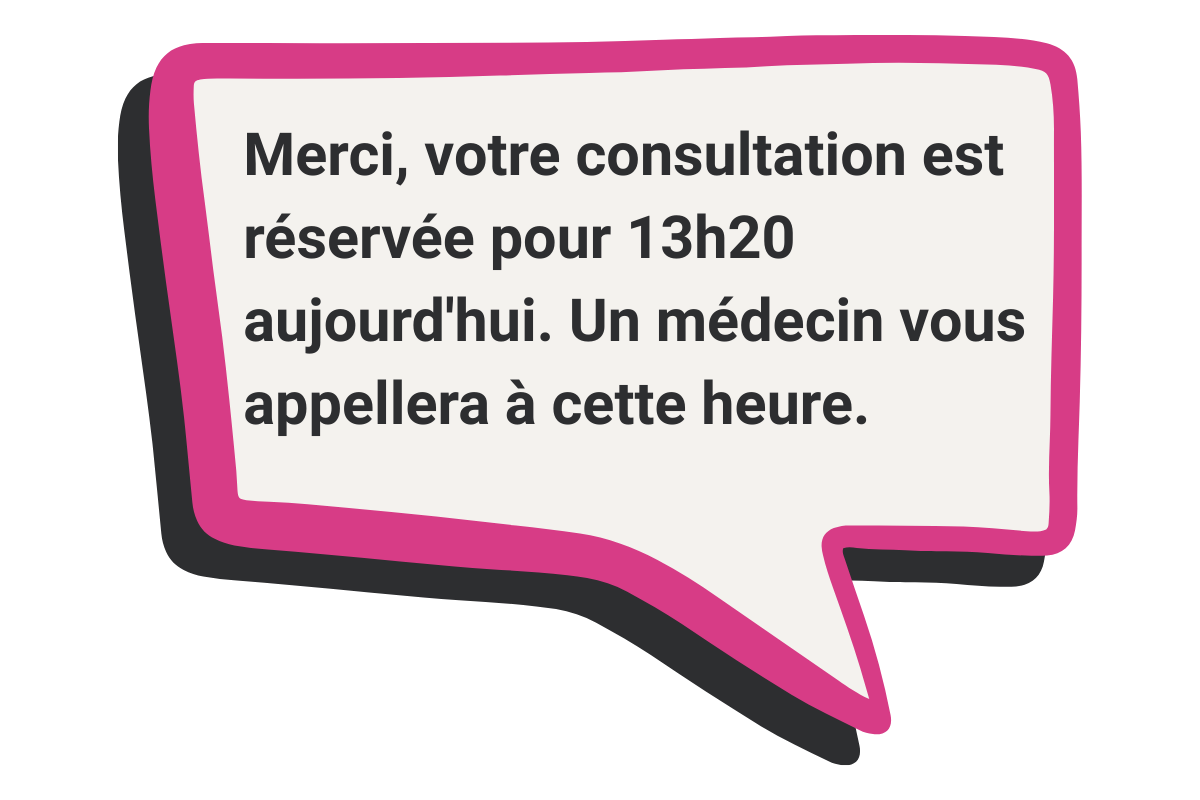
Booking is confirmed
Once the request has been accepted, the patient receives an SMS with their assigned appointment time when the clinician will call them.
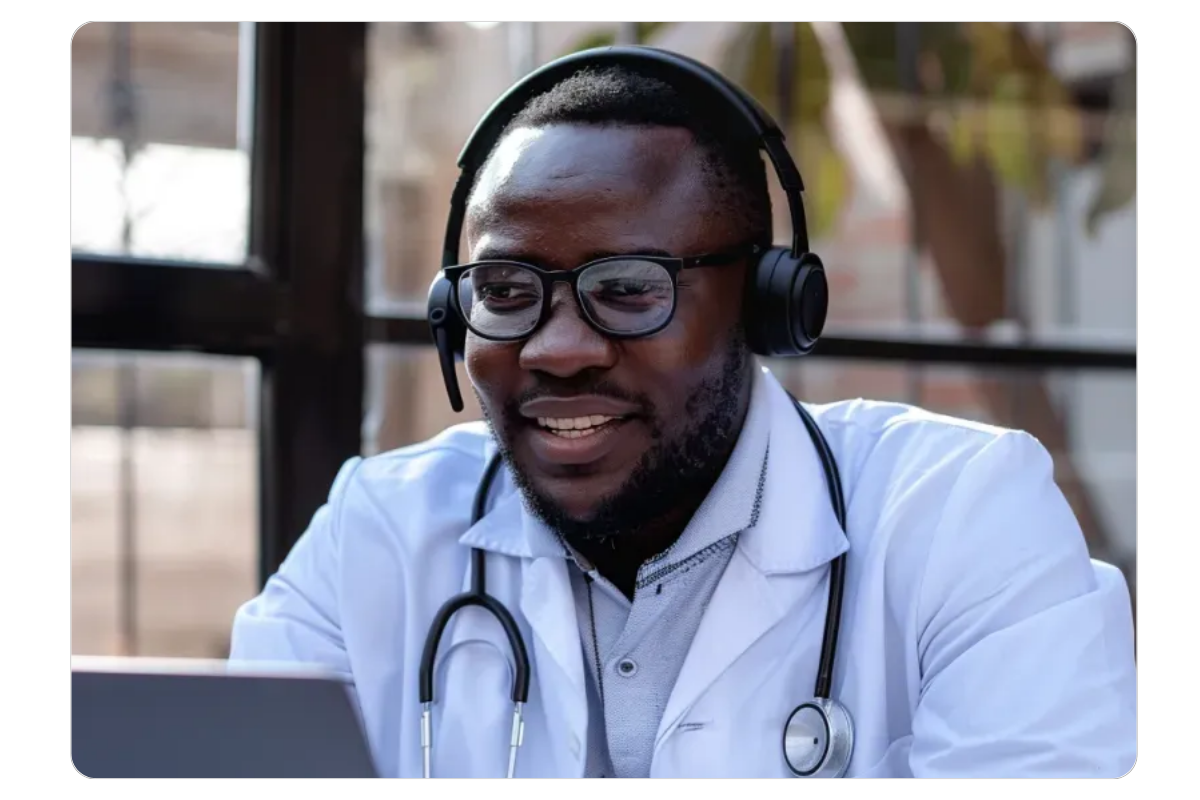
Clinician calls patient
At the scheduled time, a qualified clinician calls the patient to discuss their symptoms and provide medical advice over the phone.
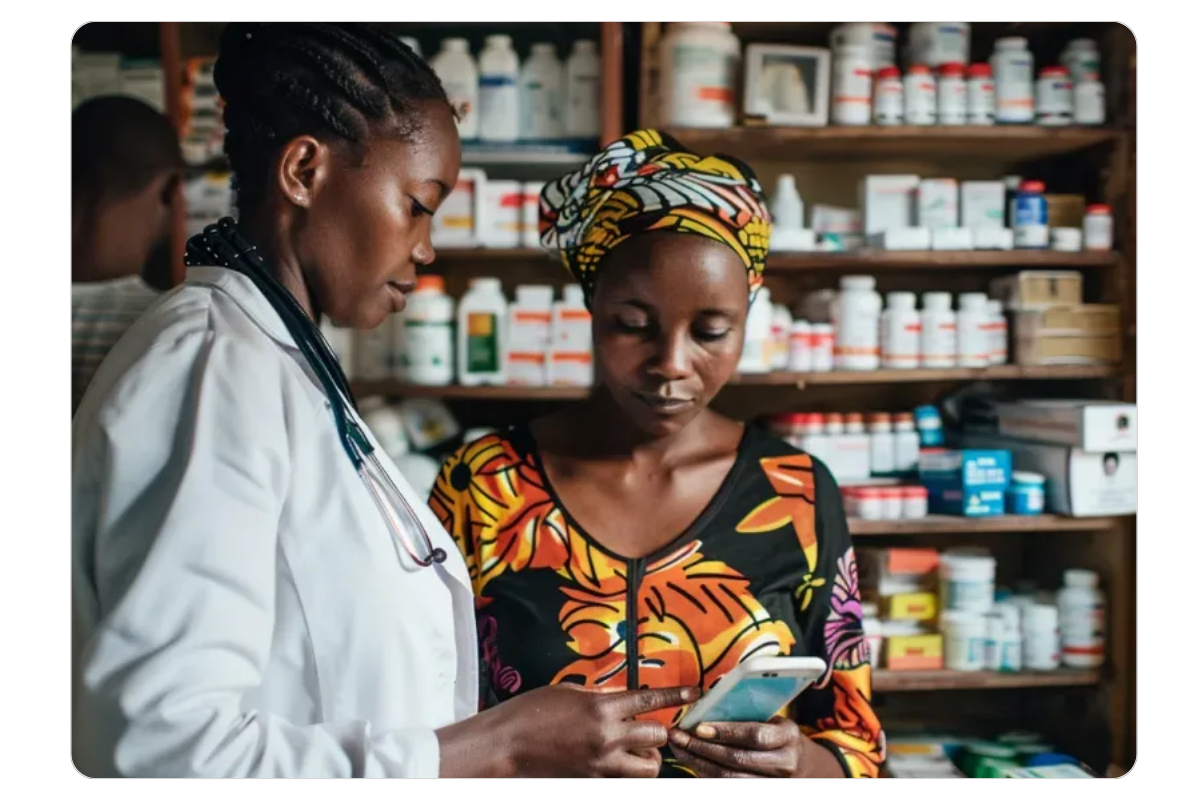
Health advice is sent to patient
After the consultation, the patient receives an SMS with personalized health advice. If medication is recommended, the patient will be given prescription details.
Patient sees advertisement
The patient sees an advertisement in their community or health center offering free medical consultations via the telemedicine platform.
Patient requests consultation
The patient sends an SMS to the designated phone number with their details including full name, date of birth, location, and symptoms.
Booking is confirmed
Once the request has been accepted, the patient receives an SMS with their assigned appointment time when the clinician will call them.
Clinician calls patient
At the scheduled time, a qualified clinician calls the patient to discuss their symptoms and provide medical advice over the phone.
Health advice is sent to patient
After the consultation, the patient receives an SMS with personalized health advice. If medication is recommended, the patient will be given prescription details.
Triaging consultation requests
How clinicians triage consultation requests
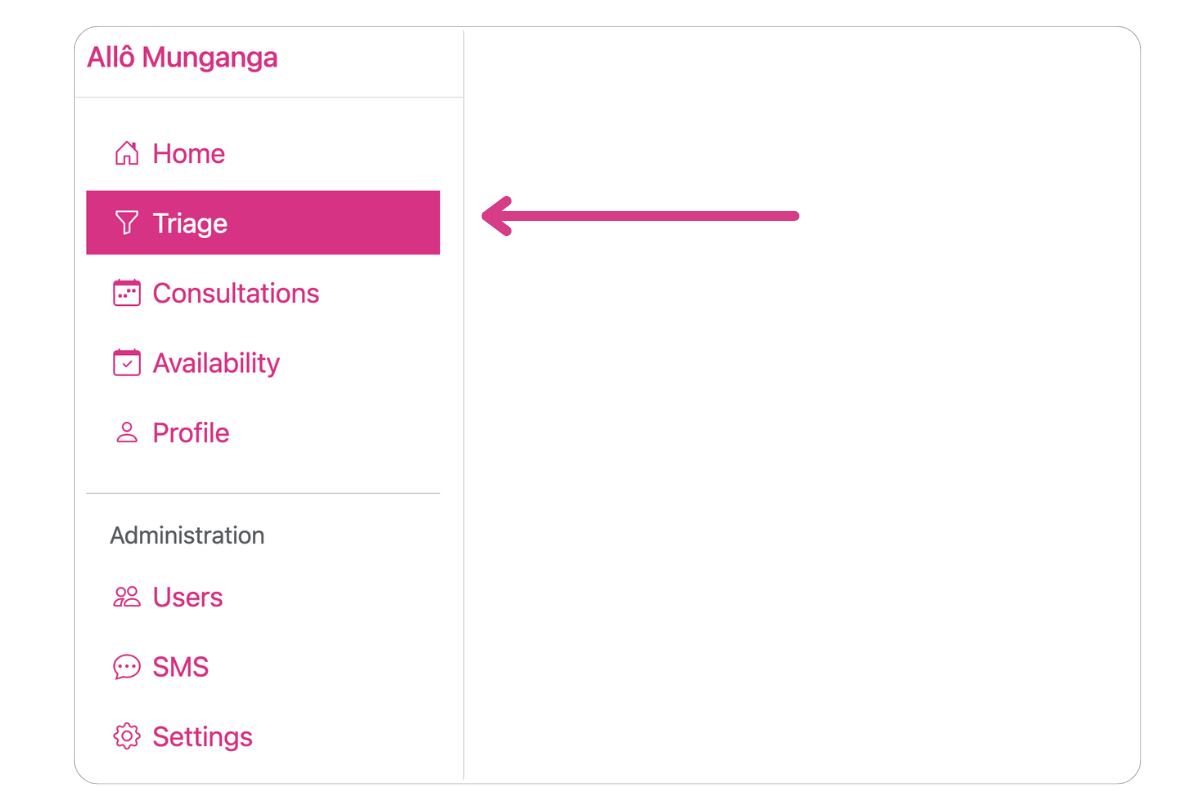
Open the Triage page
The Triage page shows incoming consultation requests in real-time. It allows triage nurses the ability to review consultation requests to speak to a clinician.
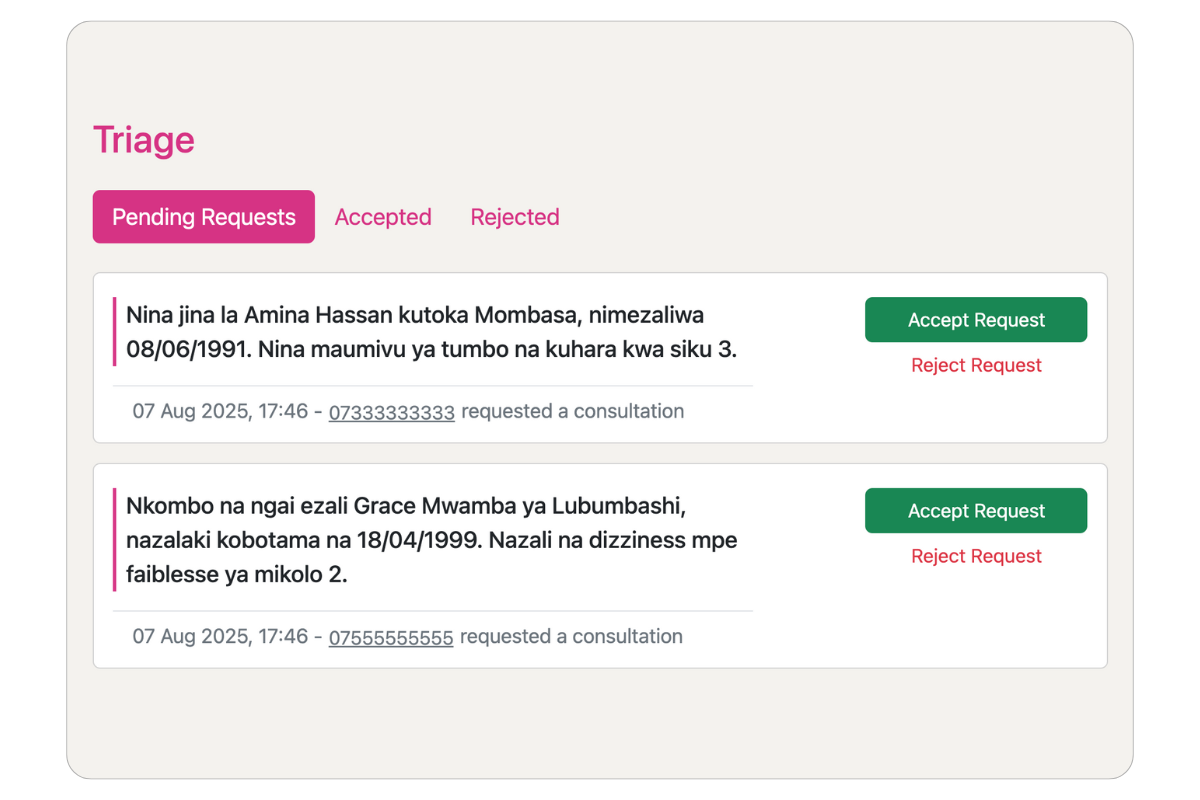
Review consultation requests
Each request shows the patient's name, phone number, and symptoms. Clinicians can review this information to assess the urgency and appropriateness of the request.
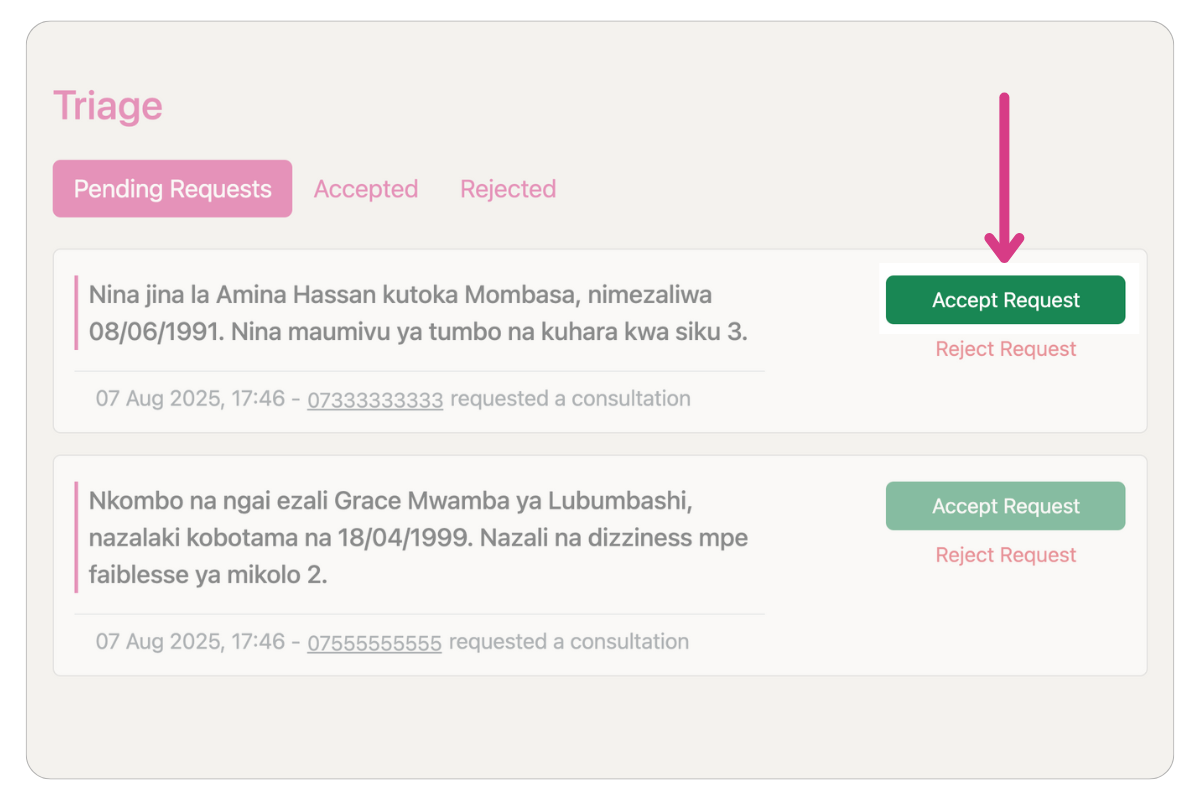
Accept a consultation
Based on the request, clinicians can either accept the request or reject it if it doesn't meet consultation criteria. Accepted requests are automatically assigned to an available clinician.
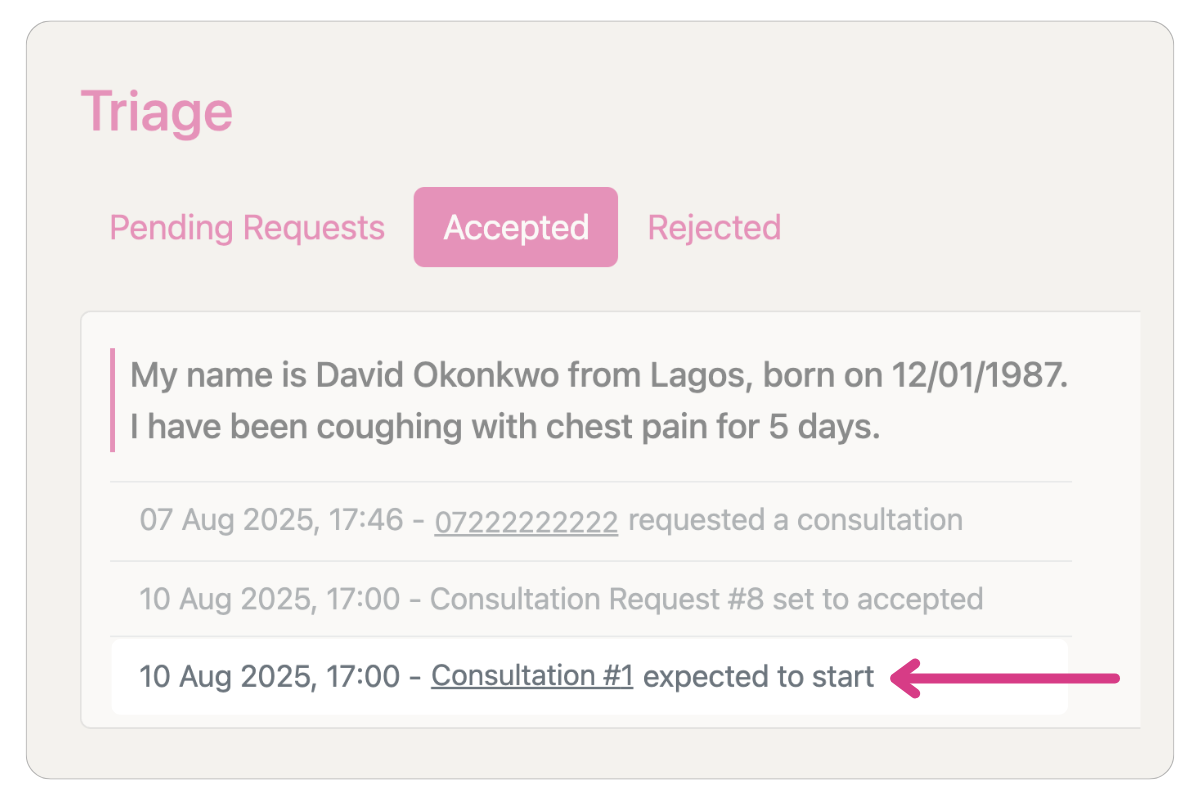
Automatically assign consultation to an available clinician
When accepting a consultation request, the system automatically assigns the consultation to the soonest available slot with a clinician.
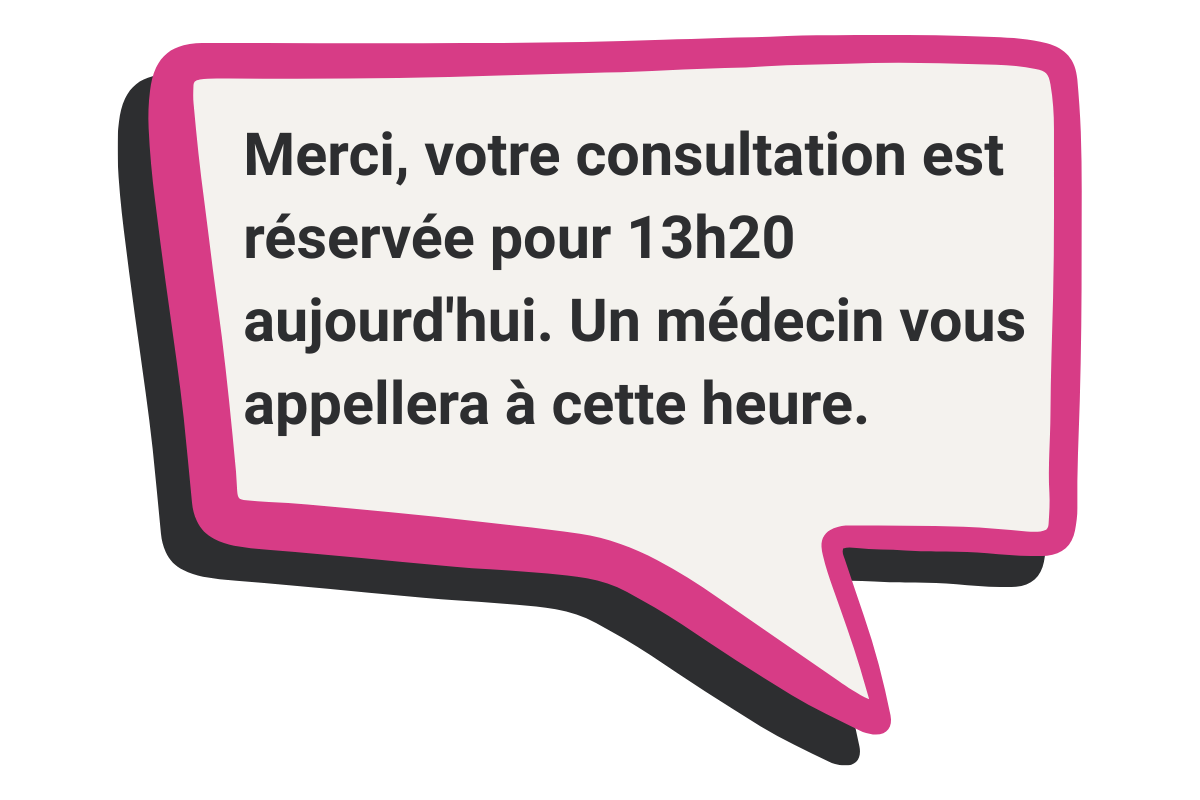
Automatically send SMS confirmation of appointment time
The patient automatically receives an SMS confirmation with the details of when the clinician will call them.
Open the Triage page
The Triage page shows incoming consultation requests in real-time. It allows triage nurses the ability to review consultation requests to speak to a clinician.
Review consultation requests
Each request shows the patient's name, phone number, and symptoms. Clinicians can review this information to assess the urgency and appropriateness of the request.
Accept a consultation
Based on the request, clinicians can either accept the request or reject it if it doesn't meet consultation criteria. Accepted requests are automatically assigned to an available clinician.
Automatically assign consultation to an available clinician
When accepting a consultation request, the system automatically assigns the consultation to the soonest available slot with a clinician.
Automatically send SMS confirmation of appointment time
The patient automatically receives an SMS confirmation with the details of when the clinician will call them.
Conducting a Consultation
How clinicians conduct consultations
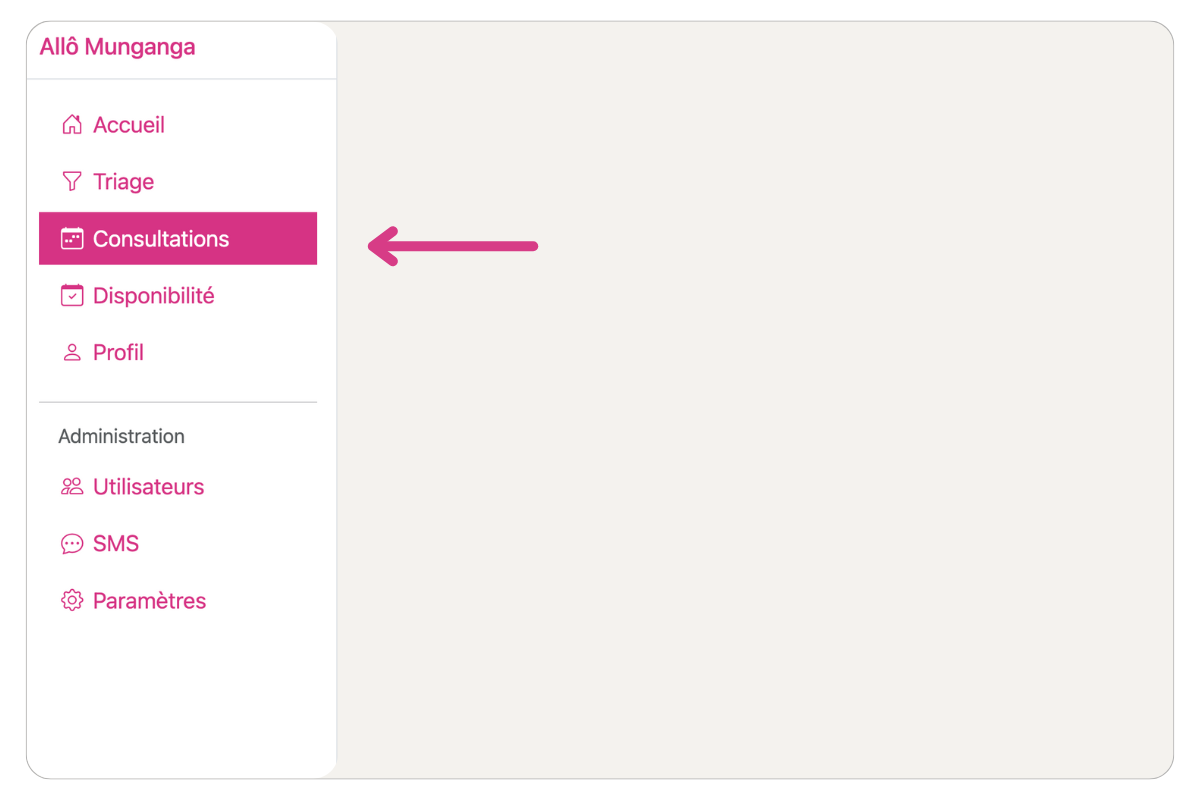
View upcoming consultations
On the Consultations page, you can view your upcoming consultations. You can also view the patient's details and the consultation outcome.
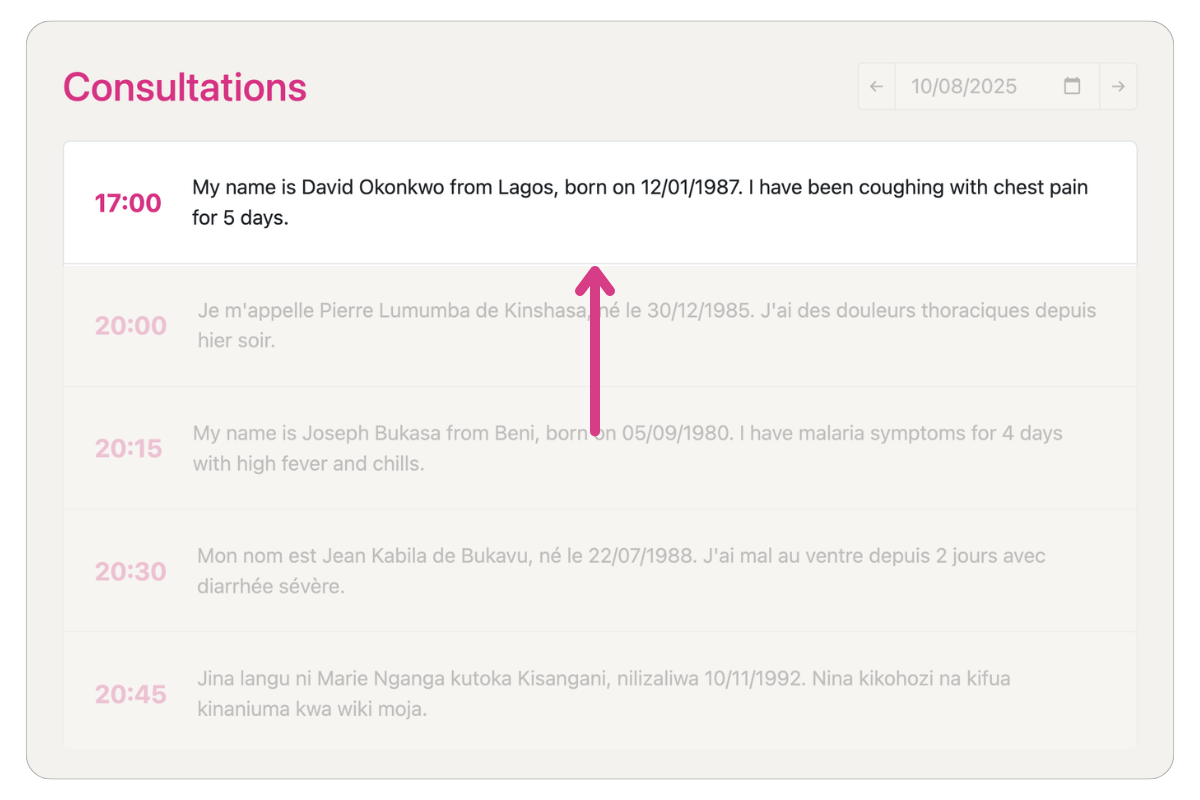
Open a consultation
Click on a consultation to open it. This will open the consultation page where you can call the patient, view the patient's details, and record the consultation outcome.
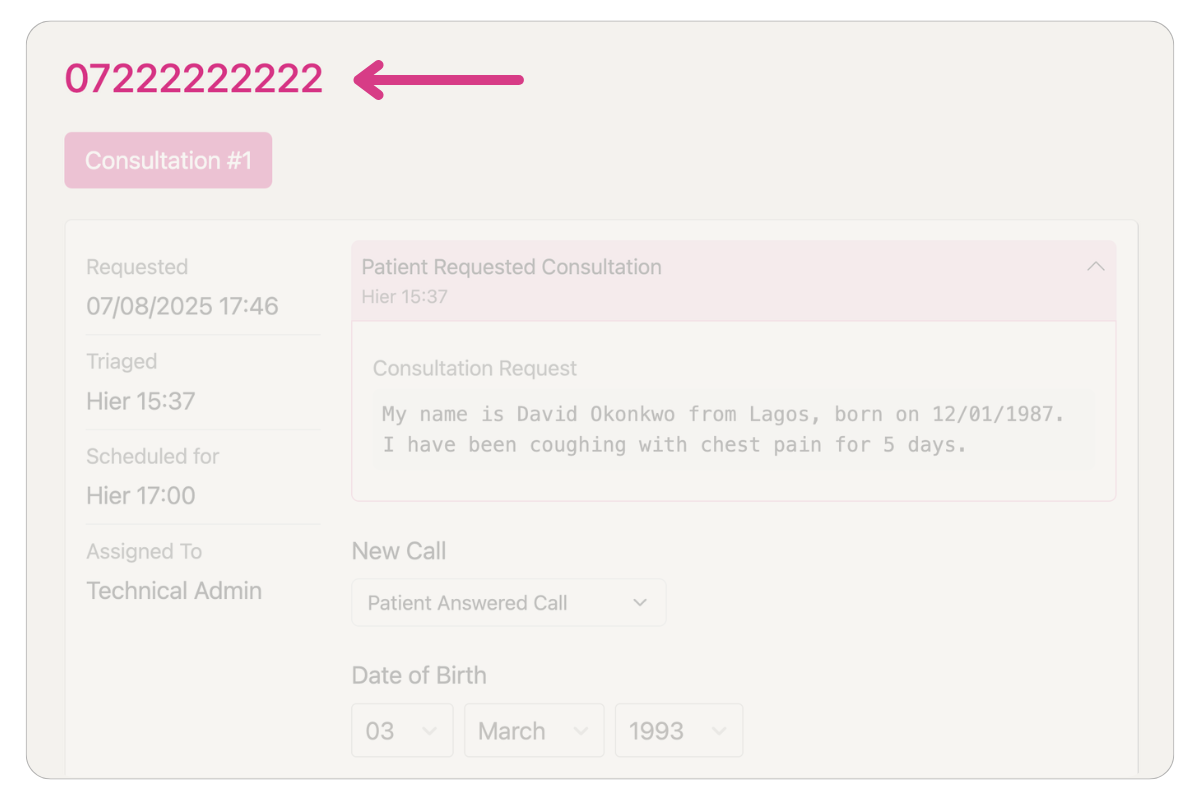
Call the patient
The patient's phone number will be displayed at the top of the page in a large font. You should then call the patient directly using your phone as our service does not currently support calling through the platform.
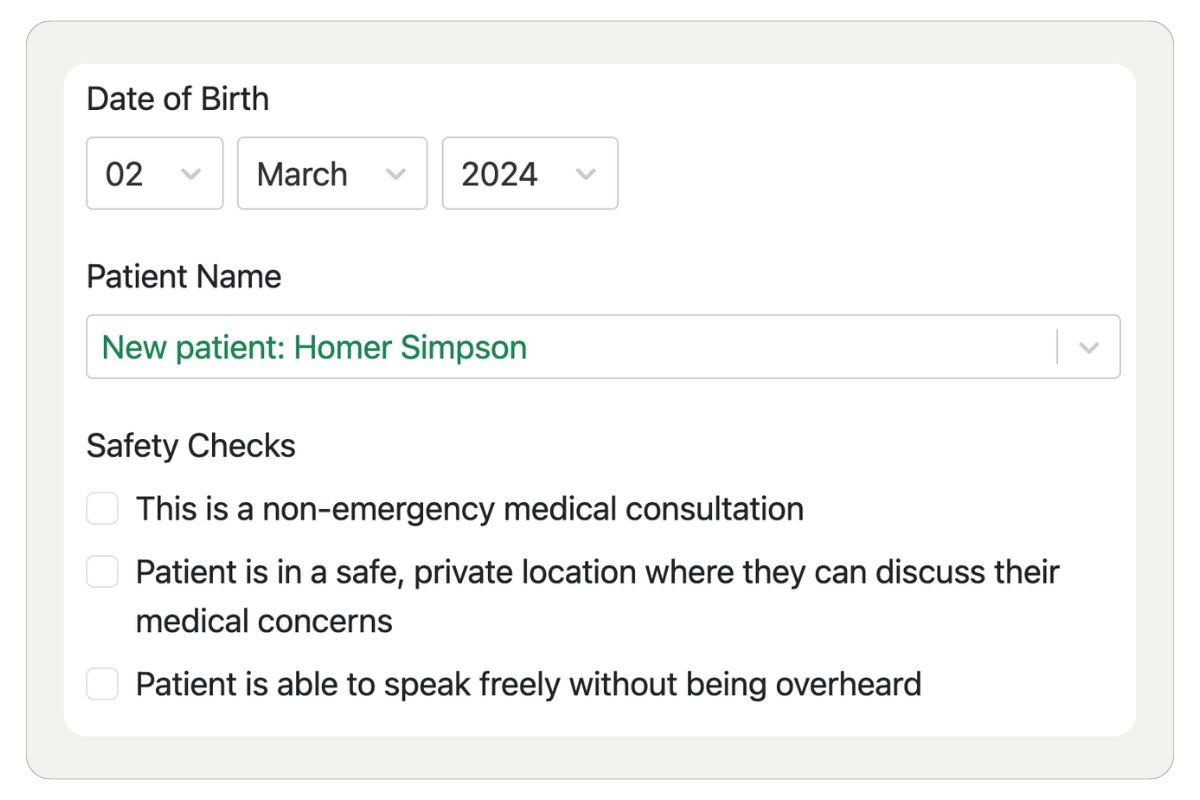
Identify the patient
Once you have called the patient, you should identify yourself as a clinician and ask the patient to confirm their name and date of birth. This way you can safely identify the patient regardless of the phone number they used to book the consultation.
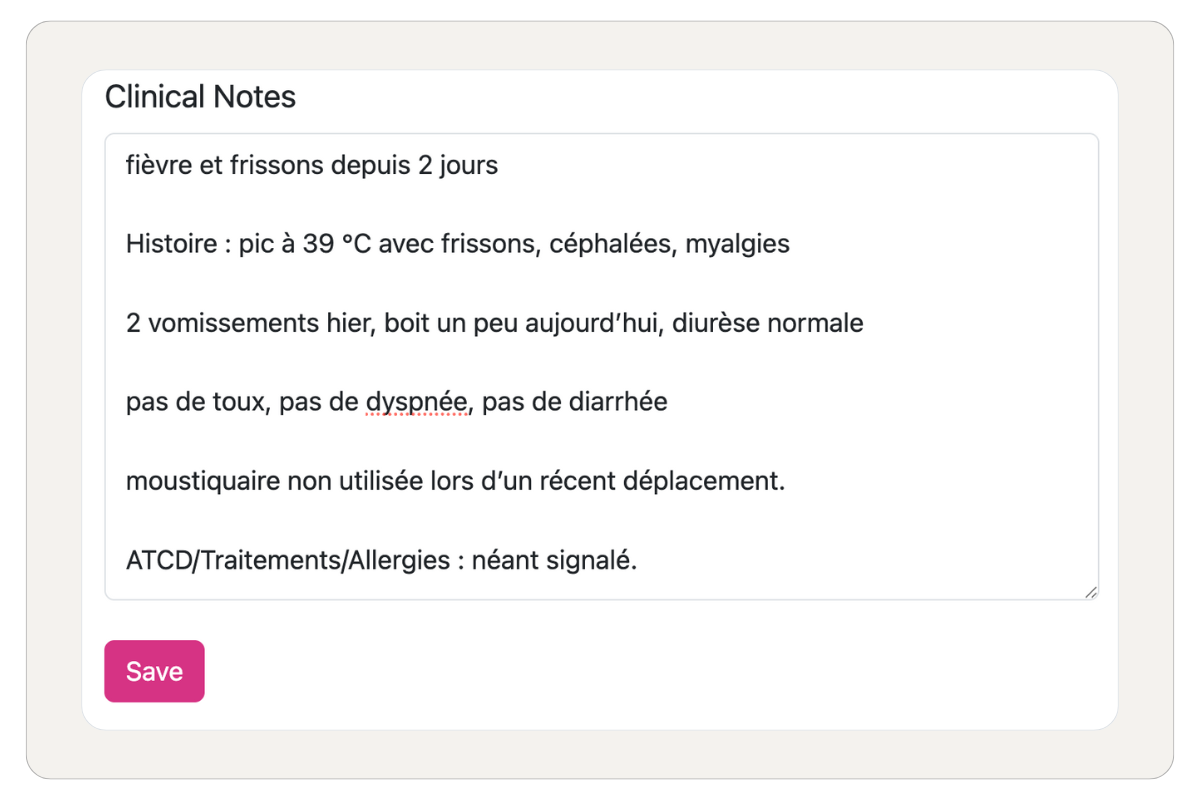
Record the consultation outcome
During the consultation, you should record the consultation outcome. You can also record the patient's safety checks and clinical notes.
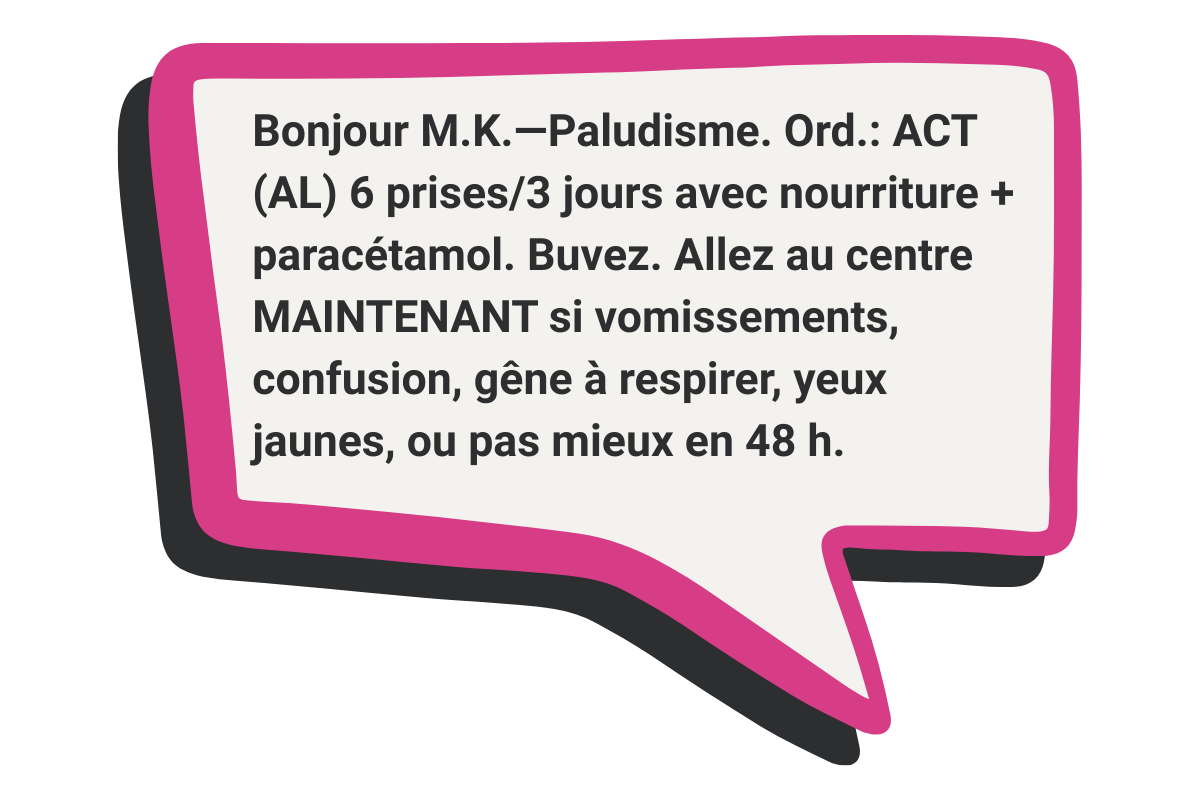
SMS the outcome and prescriptions to the patient
At the end of the consultation, you can send the patient an SMS with their health advice, including any prescription details if needed.
View upcoming consultations
On the Consultations page, you can view your upcoming consultations. You can also view the patient's details and the consultation outcome.
Open a consultation
Click on a consultation to open it. This will open the consultation page where you can call the patient, view the patient's details, and record the consultation outcome.
Call the patient
The patient's phone number will be displayed at the top of the page in a large font. You should then call the patient directly using your phone as our service does not currently support calling through the platform.
Identify the patient
Once you have called the patient, you should identify yourself as a clinician and ask the patient to confirm their name and date of birth. This way you can safely identify the patient regardless of the phone number they used to book the consultation.
Record the consultation outcome
During the consultation, you should record the consultation outcome. You can also record the patient's safety checks and clinical notes.
SMS the outcome and prescriptions to the patient
At the end of the consultation, you can send the patient an SMS with their health advice, including any prescription details if needed.
Managing Availability
Setting up your schedule and time slots
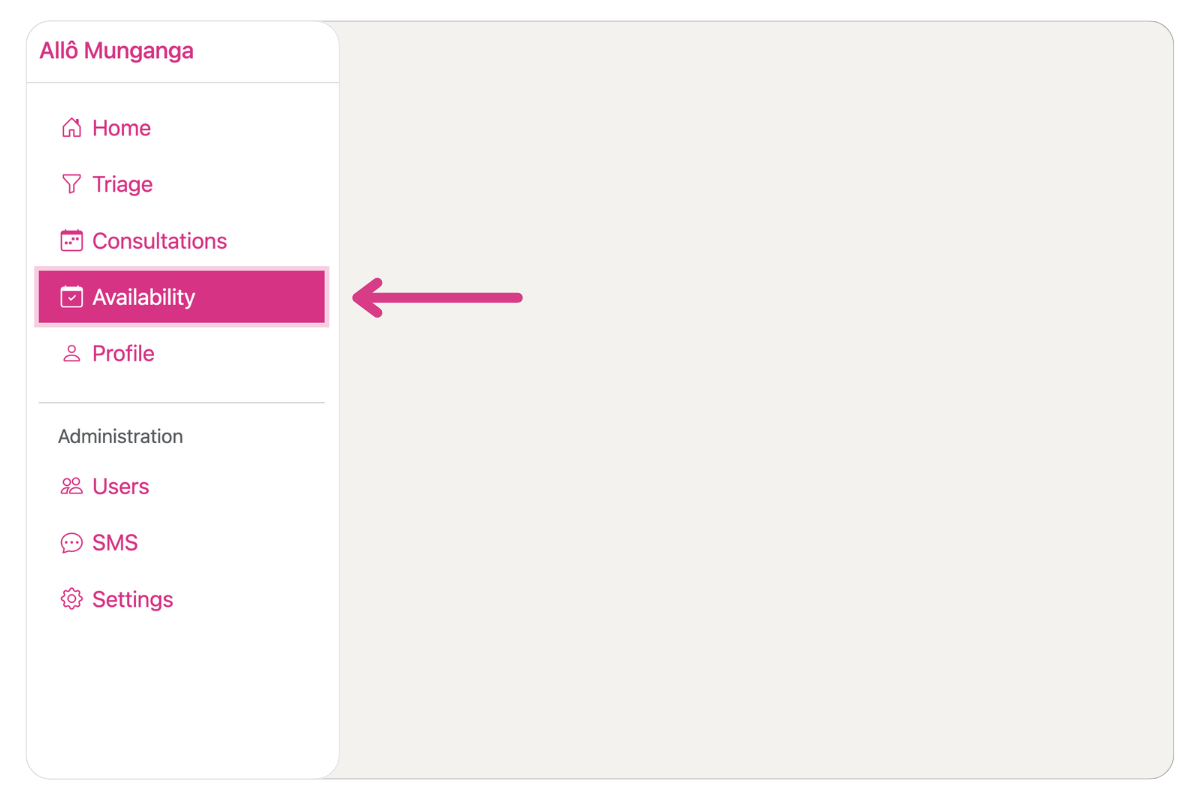
Access Availability Page
Access the Availability page to manage your schedule.
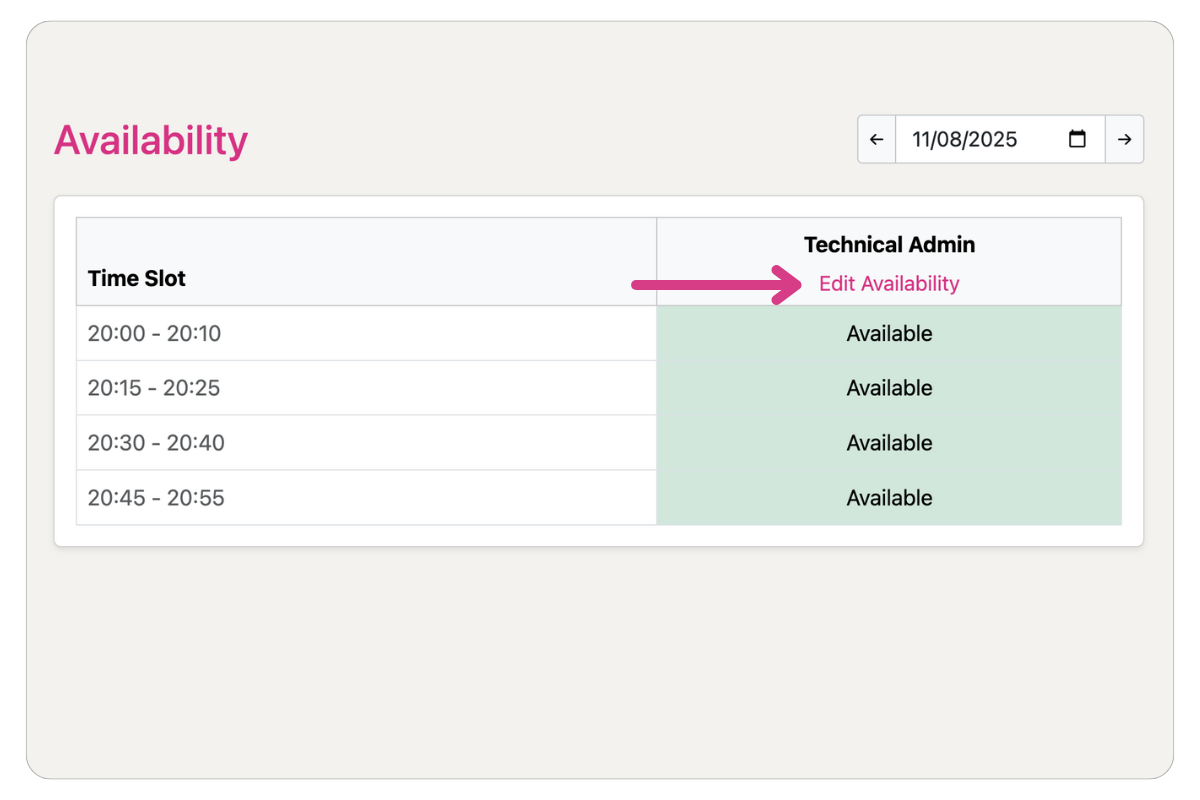
Create Time Slots
Select the hours when you are available. Consultations will be automatically assigned to you when they are triaged.
Access Availability Page
Access the Availability page to manage your schedule.
Create Time Slots
Select the hours when you are available. Consultations will be automatically assigned to you when they are triaged.
Adapting to Your Context
Every region has different infrastructure, regulations, and clinical workflows. Deploying telemedicine requires adapting to local constraints:
- SMS gateways and telecom providers vary by country
- Payment systems differ: mobile money, insurance schemes, or out-of-pocket
- Clinical protocols and triage criteria depend on local health priorities
- Language and localization for patients and clinicians
- Hosting and data residency requirements for compliance
- Technical capacity for ongoing maintenance and support
We have experience deploying in multiple countries and can help you navigate these challenges.